
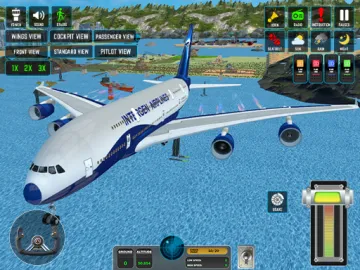
Passenger Airplane: Flight 3D
Passenger Airplane: Flight 3D



Solitaire Associations Word
Pixel Flow (Knitting Version)

Block Blast
Drive Mad

Eggy Car

Magic Sort

Goods Puzzle: Sort Challenge

Race Survival: Arena King

Jigsolitaire
Hexa Away

Vita Mahjong
Arrows – Puzzle Escape

Crazy Fruit Merge
Geometry Dash
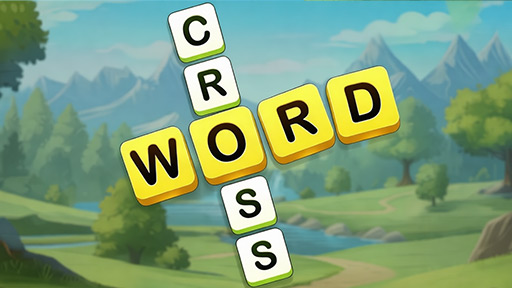
Crossword Go!

Sand Blast

Snow Rider 3D

Mahjong Classic

Classic Solitaire
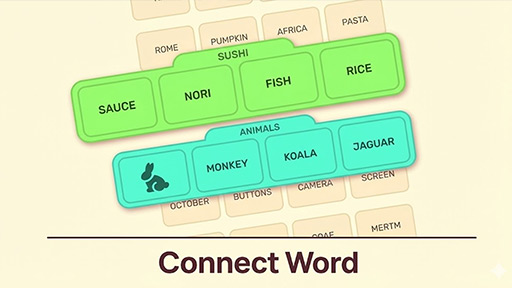
Word Associations

Zombie Catchers

Dark Myth: Monkey Merge

Super Ducks World
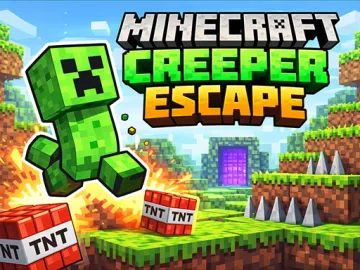
Minecraft Creeper Escape
About Passenger Airplane: Flight 3D
Overview of Passenger Airplane: Flight 3D
Welcome to the captain's seat! Passenger Airplane: Flight 3D is a premier 3D airplane flight simulator that brings the high-stakes world of commercial aviation directly to your web browser. If you have ever wondered what it feels like to command a massive airliner across the globe, this game offers an immersive, no-download experience that balances realism with accessible gameplay. Designed for both casual players and aviation enthusiasts, this adventure title stands out in the 2026 games lineup for its smooth performance and high-quality 3D graphics.
In Passenger Airplane: Flight 3D, you aren't just a passenger; you are the pilot in charge of a sophisticated piece of machinery. The game removes the common frustrations of the genre—such as complex fuel management systems—to focus entirely on the joy of flight and the technical skill of navigation. Whether you are looking for an unblocked flight game to play during a break or a deep simulator to master over hours, this title delivers a comprehensive pilot experience without the need for high-end hardware or expensive software installations.
How to Play Passenger Airplane: Flight 3D
Getting started in Passenger Airplane: Flight 3D is intuitive, making it one of the best games for newcomers to the simulation genre. The game is divided into two primary modes to help you transition from a rookie to a professional aviator:
Flight Training Mode
Before you take on international routes, it is highly recommended to start with the Flight Training Mode. Here, you will learn the essential pilot skills required to operate a commercial jet. You will practice the art of the perfect takeoff, learn how to stabilize the aircraft at cruising altitude, and most importantly, master the difficult process of landing on a narrow runway. This mode acts as an interactive tutorial, ensuring you understand the physics and controls before heading out into the open world.
World Map Mode
Once you have earned your wings, the World Map Mode opens up the entire globe for exploration. In this mode, you can fly real passenger routes, navigating between different international hubs. This is where your skills are truly tested, as you must maintain course over long distances and handle varying environmental factors. It is the ultimate adventure for anyone who loves the idea of global travel and precision flying.
Controls and Mechanics
- Joystick Controls: Use the realistic on-screen joystick or your keyboard to tilt, pitch, and yaw the aircraft. The sensitivity is tuned to provide a smooth, realistic feel.
- Speed Control: Managing your velocity is key. The game features 1x, 2x, and 3x speed toggles, allowing you to cruise through long-distance flights or slow down for precise maneuvers during approach.
- Camera Switching: With 6 different camera modes, you can view the action from the cockpit for maximum immersion, or use external, wing, and tail cameras to admire the 3D graphics and your surroundings.
Key Game Features
What sets Passenger Airplane: Flight 3D apart from other free online games is its attention to detail and player-friendly features. Here is what you can expect when you take to the skies:
- Realistic 3D Graphics: Experience high-fidelity models of passenger jets and beautifully rendered environments that look great on both desktop and Android devices.
- Dynamic Weather System: Test your mettle in three distinct weather conditions. Fly through clear sunny skies, navigate through heavy rain, or challenge yourself to stay level during a powerful storm.
- No Fuel System: Enjoy unlimited flying fun! Unlike other simulators that force you to manage resources, this game allows you to focus on the flight path and the scenery without worrying about running out of gas.
- Multiple Perspectives: Switch between a realistic cockpit view, an external chase cam, or a cinematic wing view to get the full perspective of your flight.
- Accessible Simulation: While the physics are realistic, the controls are designed to be accessible, making it one of the best airplane games for players of all skill levels.
Tips and Strategies for Success
To become a master pilot in Passenger Airplane: Flight 3D, you need more than just a love for heights. Follow these strategies to improve your flight performance:
Master the Takeoff
When starting your flight, ensure your speed is at the maximum setting before pulling back on the joystick. A smooth ascent is vital for maintaining passenger comfort (and your high score). Avoid over-tilting the nose, as this can cause the plane to stall at low altitudes.
Adjusting to Weather
Weather isn't just a visual effect; it changes how you should fly. In "Storm" mode, the wind can buffet your aircraft, making it harder to stay on course. Use the external camera views to get a better sense of your plane's orientation relative to the horizon when visibility in the cockpit drops due to rain.
Perfecting the Landing
Landing is the most difficult part of any flight simulator. As you approach the runway, drop your speed to 1x and use the "Cockpit" or "Wheel" camera view to align yourself perfectly with the landing strip. Aim for a gradual descent rather than a sharp drop to ensure a "greased" landing.
Utilize Different Camera Angles
Don't stick to just one view. Use the wing camera to check your surroundings and the external "Orbit" cam to ensure you aren't drifting off course during long-haul flights in World Map Mode. The cockpit view is best for the final stages of landing where precision is paramount.
Frequently Asked Questions (FAQ)
Is Passenger Airplane: Flight 3D free to play?
Yes! You can play Passenger Airplane: Flight 3D for free on trendinggames.io. There are no hidden fees, and you can enjoy the full pilot experience directly in your browser without any downloads.
Can I play this game on mobile devices?
Absolutely. The game is optimized for both desktop browsers and Android devices. The touch-responsive joystick controls make it an excellent choice for gaming on the go.
Do I need to be an expert to play this flight simulator?
Not at all. While the game offers realistic 3D flight mechanics, the "Flight Training Mode" is specifically designed to teach beginners everything they need to know. The "No Fuel" system also makes it much more forgiving than hardcore professional simulators.
Why You Should Play Passenger Airplane: Flight 3D Today
If you are looking for an engaging, high-quality, and unblocked airplane game, look no further. Passenger Airplane: Flight 3D combines the thrill of adventure with the technical satisfaction of a flight simulator. With its variety of weather conditions, multiple camera angles, and global routes, it offers hours of entertainment for anyone who has ever looked up at the sky and wanted to fly.
Whether you want to practice your landings in a storm or take a relaxing flight across the world map in the sun, the choice is yours. There is no software to install and no registration required—just pure flying fun. Are you ready to take control of the skies and prove you have what it takes to be a captain?
Experience the ultimate 3D flight adventure now! Head over to trendinggames.io and start your engines in Passenger Airplane: Flight 3D today!
How to Play
Default: Joystick – Easy and smooth flying Arrow Keys – Selectable from Settings Slider Throttle – For race-style speed control
Comments (0)
No comments yet. Be the first to share your thoughts!
Leave a Comment